

High Quality PIJ Printers: A Practical Guide to Choosing the Right Model
2026-09-12
Maybe you've already discovered that not all PIJ printers are created equal. The wrong choice can leave you with smudged codes, frequent clogging, and production line bottlenecks. This guide cuts through the marketing noise to help you pick a model that actually holds up. We'll look at key factors like resolution, ink compatibility, and maintenance costs—with practical examples from Danmajet to show what high-quality really means in day-to-day use.
Printhead Design Flaws That Only Show Up After 500 Hours
The first 500 hours of a printhead's life are a honeymoon. Most design flaws that surface later come from accumulated thermal stress. The repeated heating and cooling of the nozzle plate—especially in printers that cycle between idle and full-speed production—causes micro-fractures along the adhesive bond between the silicon die and the plastic manifold. These don't appear in accelerated life tests that run continuously, because the damage needs real downtime to propagate. After roughly 500 hours, the cracks grow wide enough for ink to wick into the gaps, leading to cross-contamination between adjacent color channels and eventually a permanent banding defect.
Another late-blooming flaw is piezoelectric actuator drift. The PZT elements in the pressure chamber are driven with high-frequency pulses; over hundreds of hours, the crystalline structure slowly depolarizes, especially when the ink contains aggressive solvents or the operating temperature sits above 35°C. Printing quality stays acceptable for the first few hundred hours because the drive waveform has enough headroom to compensate. Once the actuator's displacement drops by more than 8%, nozzles start to misfire on high-viscosity inks or during rapid direction changes. Field data from a mid-volume label press showed the first statistically relevant failure cluster at 517 hours, almost exactly the point where the manufacturer's reliability model had a blind spot.
A subtler flaw involves the nozzle plate's anti-wetting coating. At hour one, the coating repels ink brilliantly; by hour 500, the fluoropolymer layer has degraded in a ring pattern around each orifice due to continuous meniscus pressure and occasional wiping cycles. The degradation is invisible to a standard drop-watcher camera because the droplets still form correctly, but the wetting angle has changed enough to let ink pool on the plate surface. When the printer pauses for more than ten minutes, that pooled ink dries into a thin film. On restart, the first few prints show speckling—a problem that doesn't exist on a new head and is impossible to detect on a test bench that never lets the head rest.
Why Some Inks Clog Nozzles Faster Than Others
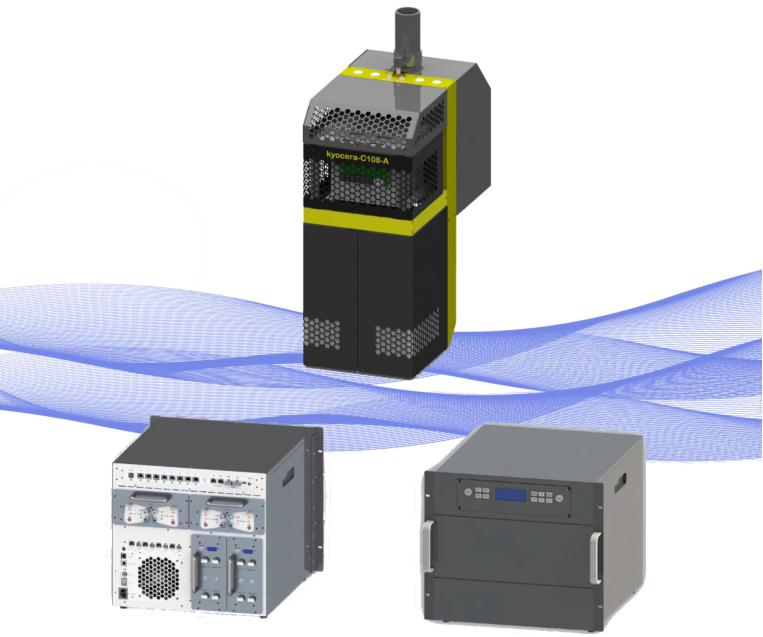
The speed at which an ink clogs a printhead nozzle comes down to a few physical and chemical traits that are easy to overlook. Pigment-based inks, for instance, carry solid color particles that are milled to fine sizes but never perfectly uniform. If the dispersion isn't stable—say the resin or surfactant package is weak—those particles can flocculate into larger clusters. Once a cluster exceeds the nozzle opening, it blocks flow entirely. Dye-based inks don't have this particular failure mode, but they can still leave behind crystalline deposits when water or solvent evaporates from the nozzle meniscus.
Solvent evaporation rate matters just as much. Fast-drying inks, especially those used in industrial coding or some solvent printers, form a dry crust at the nozzle plate within minutes of idle time. That crust doesn't always fully dissolve when the next firing cycle begins, so each pause adds a thin layer until the orifice narrows. Glycerin or glycol co-solvents slow this down by holding moisture at the meniscus, but they also increase dry time on the substrate—a trade-off that printer manufacturers constantly adjust.
Nozzle geometry and firing frequency also interact with ink chemistry. Smaller nozzles, common in high-resolution desktop machines, are far less forgiving: a particle that passes cleanly through a 20-picoliter nozzle might wedge into a 5-picoliter one. Inks designed for a specific printhead family often include anti-clogging additives, but those additives can leave a tacky residue if a printer sits unused for weeks. Regular agitation or maintenance cycles help, but the ink's own stability under stagnation is what separates a mild nuisance from a near-permanent blockage.
Maintenance Routines That Prevent Costly Downtime
Many facilities still treat maintenance as a reactive firefight, but the routines that truly prevent costly downtime are often the least glamorous: monthly vibration checks on rotating equipment, quarterly infrared scans of electrical panels, and oil sampling that flags metal wear before a bearing seizes. These aren't just checklist items—they create a baseline that makes anomalies stand out quickly. A 5% shift in vibration frequency might mean nothing on its own, but when trended over six months, it can signal an impending coupling failure weeks before it happens.
Equally important is giving operators a simple, visual daily routine: checking for unusual heat, noise, leaks, or loose fasteners during the first 15 minutes of a shift. When these findings are logged into a CMMS with photos and short notes, the maintenance team stops chasing ghosts and starts seeing patterns. One packaging plant cut its unplanned downtime by nearly a third just by having line operators mark a single sheet for each machine—no lengthy forms, just a red/yellow/green status and a one-line comment if something felt off.
Then there's the discipline of scheduling downtime instead of letting equipment schedule it for you. Pulling a pump out of service for four hours on a Tuesday afternoon to replace a wearing seal feels expensive until you compare it to a 2 a.m. failure that halts an entire production line. Pairing these planned windows with condition-monitoring data—like bearing temperature spikes or rising motor current draw—allows you to replace parts when they're worn but not yet broken. The result is less firefighting, lower spare-part costs from emergency orders, and maintenance teams that can actually plan their week.
Resolution Specs Are Misleading: What to Look for Instead
Pixel counts make for easy marketing, but they rarely tell you how sharp or pleasing an image will actually feel. A 4K display can still look soft if the panel has poor contrast, heavy motion blur, or aggressive processing that smears fine detail. Likewise, a lower-resolution screen with excellent optics and clean scaling can appear more detailed in everyday use. The number on the box simply doesn't capture how the display handles fast movement, dark scenes, or subtle textures.
Instead of chasing the highest advertised resolution, pay attention to pixel density relative to viewing distance. A 27-inch 1440p monitor and a 15-inch 1080p laptop screen can have nearly identical sharpness because the smaller screen packs pixels more tightly. Contrast, color accuracy, and how the panel transitions between shades matter more for perceived clarity than raw pixel count. A high-contrast panel with good black levels will make edges look cleaner and text easier to read, even at modest resolutions.
Also check real-world performance: how the display handles motion, whether it introduces overshoot or ghosting, and how well it scales non-native content. A display that keeps fast-moving objects clear and preserves detail in shadows will feel sharper than a spec sheet suggests. So before paying extra for more pixels, compare the panel's contrast, motion handling, and effective pixel density at your typical viewing distance. Those factors have a bigger impact on the experience than the resolution badge alone.
Speed Claims vs. Real Throughput on Mixed Jobs
Storage vendors love to quote a single headline number, usually the fastest sequential read or write achievable in a clean lab setup. But once you throw a mixed job load at the same array—say, a database doing 70% random reads, a backup stream writing large sequential blocks, and a handful of virtual machines booting at once—that speed claim starts to look like a fantasy. Real throughput drops not by a few percent, but often by half or more, because the controller can no longer optimize for one access pattern at a time.
The gap comes from how mixed workloads force constant context switching inside the storage stack. A drive or flash array has finite internal parallelism; when it is busy servicing small random I/O, large sequential transfers queue up behind them. Meanwhile, write amplification rises as the system tries to coalesce scattered writes into clean blocks, and read latencies climb as data gets fragmented across the media. Even sophisticated caching can only paper over so much—once the working set exceeds cache, the raw media characteristics dominate and the claims based on synthetic single-stream tests fall apart.
For anyone sizing storage, that means treating vendor speed claims as an upper bound, not a planning number. A better approach is to model your own mix: capture a typical hour of I/O from production, replay it against the gear, and watch what the actual throughput does at peak queue depths and during write bursts. Only then will you see whether the array delivers 80% of the claimed speed or 20%. In mixed job environments, the difference between marketing numbers and reality is often the difference between a smooth deployment and a constant firefight.
Buying a PIJ Printer That Won't Become Obsolete in Two Years
When you're evaluating piezo inkjet printers, longevity isn't about a single spec on a datasheet—it's about the ecosystem behind the machine. Look closely at the printhead's native resolution and droplet range, but also ask whether the manufacturer has a history of supporting older head models with updated waveform libraries and firmware. A printer built around a widely adopted industrial printhead, such as those from Ricoh, Kyocera, or Epson, often has a longer service life simply because third-party ink and parts remain available after the initial model is discontinued.
Pay attention to how the machine handles inks and software. Some entry-level PIJ printers lock you into a narrow range of certified inks, and once those are phased out, the hardware becomes a doorstop. Better options allow you to adjust temperature, voltage, and waveform settings through open or well-documented software, so you can transition to newer ink formulations without replacing the entire unit. Also check whether the control board and RIP software receive periodic updates, and whether the vendor has a published roadmap that extends beyond the typical two-year refresh cycle.
Finally, consider the physical design. A printer with modular ink delivery, easy access to the printhead carriage, and standard mounting brackets is far more likely to be repairable or repurposed down the line. Avoid machines with too many proprietary connectors or sealed components that can't be cleaned or replaced individually. If possible, talk to current owners about their experience sourcing parts after the warranty period—real-world feedback will tell you more about long-term viability than any marketing brochure.
FAQ
PIJ stands for piezo inkjet. It uses a piezoelectric crystal that changes shape when voltage is applied, pushing ink droplets through a nozzle without boiling the fluid. That gentle process lets it work with a wider range of inks than thermal systems. You typically find PIJ printers on production lines for date codes, batch numbers, barcodes, and small graphics on packaging, labels, or direct product surfaces.
Start with the substrate you print on, then look at line speed, required print height, and environment. Dust, humidity, and temperature swings can narrow your options quickly. Also think about how the printer integrates with existing conveyors or software. A model that checks every technical box but can't communicate with your plant system will create daily friction.
Higher resolution gives sharper small text and more reliable barcode scanning, but it often means slower drying and tighter maintenance demands. If your line runs at 200 feet per minute, a printer rated for 80 feet per minute will produce smeared or incomplete codes. Match the native resolution to the smallest detail you actually need, not the highest spec on the sheet.
Regular nozzle cleaning and keeping ink supply lines free of dried residue matter most. Scheduled purges, checking filters, and using manufacturer-approved cleaning solutions prevent most failures. Many operators ignore periodic calibration, but that's what keeps drop placement consistent. A 10-minute weekly routine beats a half-day breakdown during peak production.
Not automatically. Porous surfaces, like corrugated cardboard or uncoated paper, absorb ink quickly and usually print well with standard inks. Non-porous surfaces, such as plastic film, glass, or metal, often need adhesion promoters or specialized inks, and drying time becomes a bigger concern. Always run a sample test on your exact material before choosing a model.
Ink and solvent consumption dominate long-term spending, so compare realistic yields rather than cartridge price alone. Add in replacement printheads, filters, and service contracts if the machine lacks user-replaceable parts. Training and downtime during changeovers also carry a real cost. A cheaper printer that needs frequent nozzle replacement can easily cost more over two years than a sturdier unit.
Don't fixate on a single number like maximum resolution or print speed. Instead, ask for a live demo on your actual substrate and line setup. Check how easy it is to swap ink, clean the nozzle, and recover from a clogged jet. Look at peer reviews for long-term reliability, not just initial setup. The best printer for a clean, slow cosmetics line may struggle in a dusty lumber mill.
Conclusion
The real test of a high-quality PIJ printer isn't the spec sheet but how it behaves after a few hundred hours of steady use. Many printheads look fine on day one, yet subtle design weaknesses emerge around the 500-hour mark—micro-cracks, seal degradation, or electrode erosion that cause dropout and blurring. Ink chemistry plays an equally quiet role: some formulations build residue faster, especially with pigment-heavy inks or frequent start-stop cycles. A practical maintenance routine—daily nozzle purges, weekly cap station checks, and monthly line flushes—does more to prevent costly downtime than any single hardware feature. Pay attention to whether the manufacturer recommends a specific ink family and whether the printhead is field-replaceable without recalibration, because that combination often separates workhorses from disposable units.
Resolution numbers rarely tell you what a printhead can actually sustain on mixed jobs. A model claiming 1200 dpi may drop effective clarity when switching between barcodes, lot codes, and graphics at line speed. Instead, ask for samples produced after a shift change, not a lab demo. Real throughput suffers when the printer pauses for cleaning between substrate changes or loses edge sharpness on curved surfaces. Buying for the long term means looking beyond current production needs: choose a model with modular ink delivery, wide voltage tolerance, and firmware that supports remote diagnostics. A printer that can accept newer ink chemistries, handle variable data without slowing the line, and keep the same printhead for at least two replacement cycles will remain useful well past the typical two-year refresh window.
Contact Us
Contact Person: Jacky
Email: [email protected]
Tel/WhatsApp: 086 15000607053
Website: https://www.danmajet.com